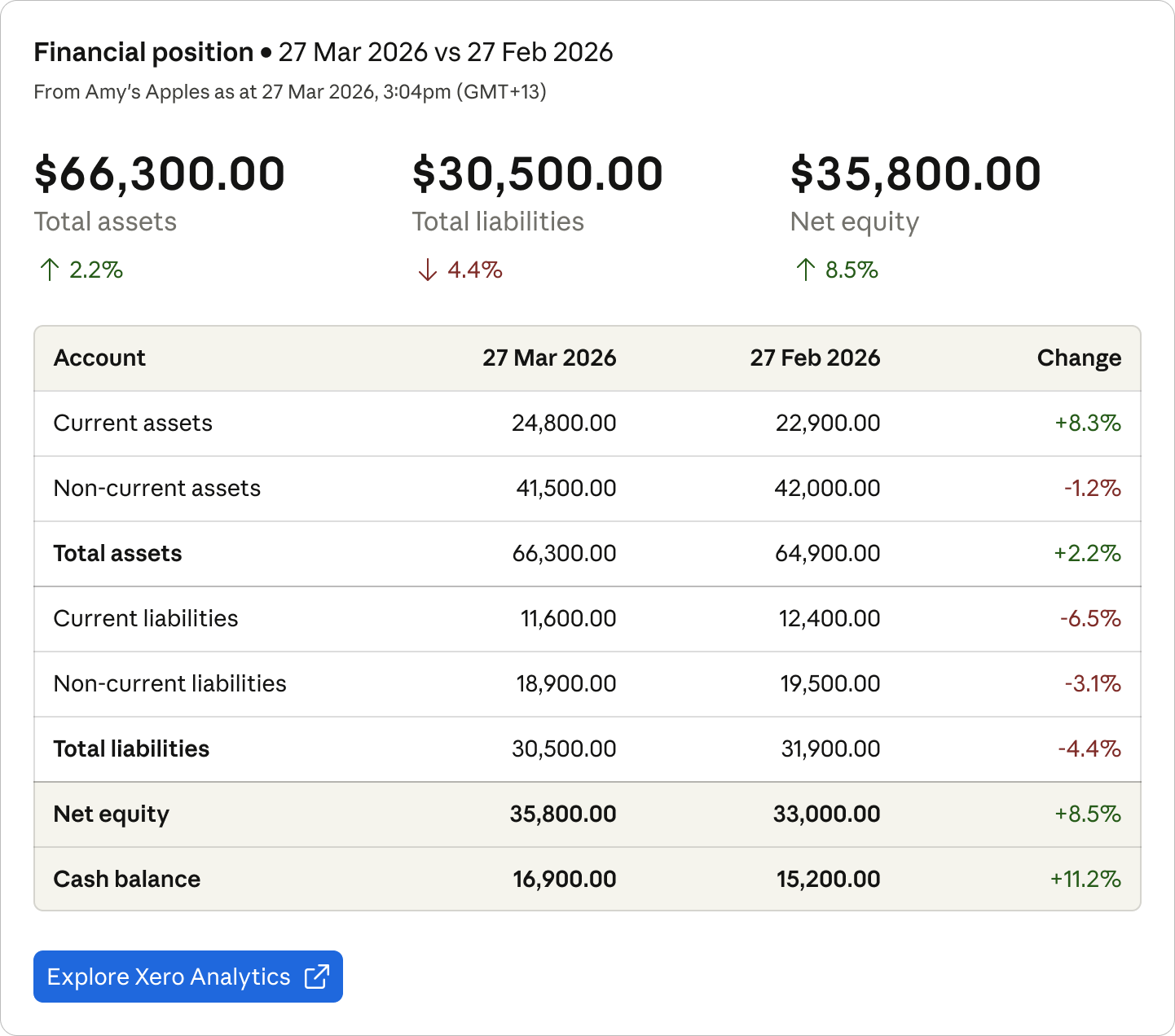
What's my current financial position?
Access your Xero financials from any conversation
Access your Xero financials from any conversation
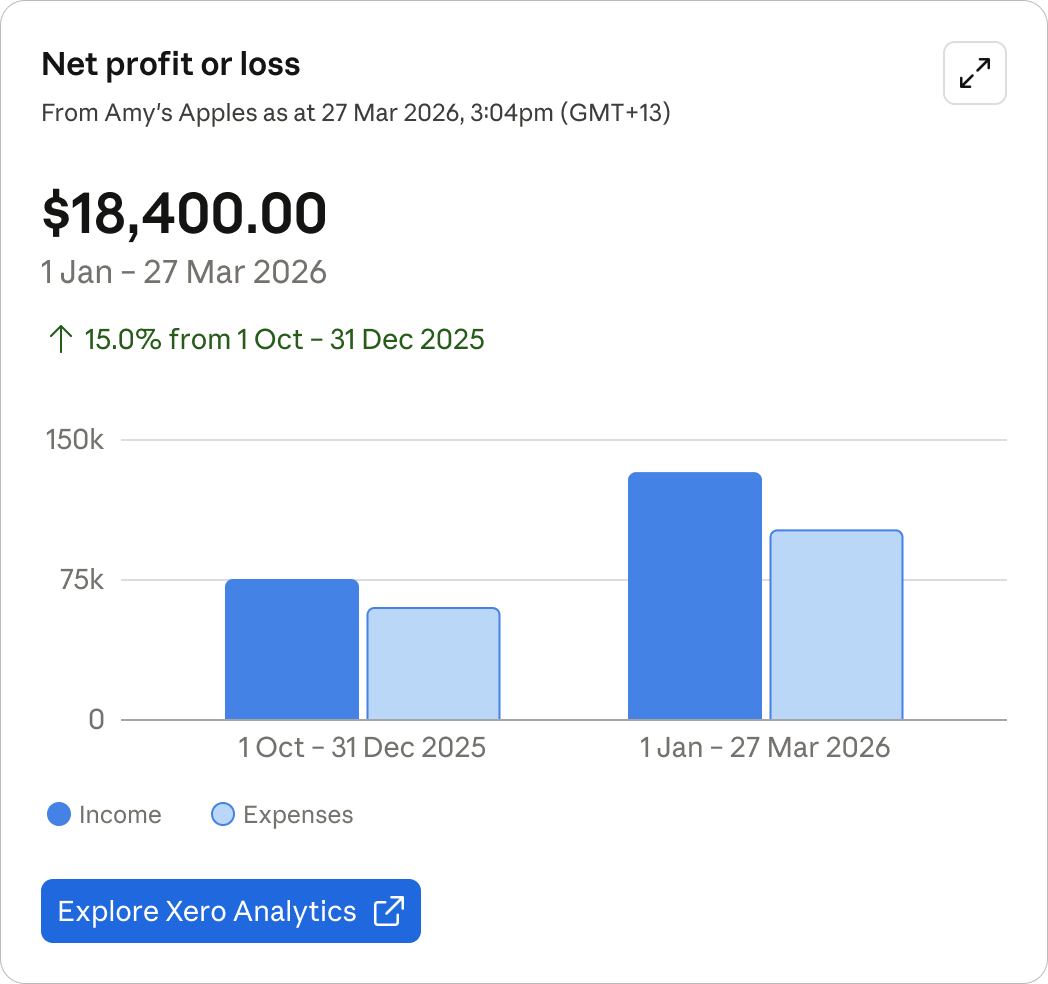
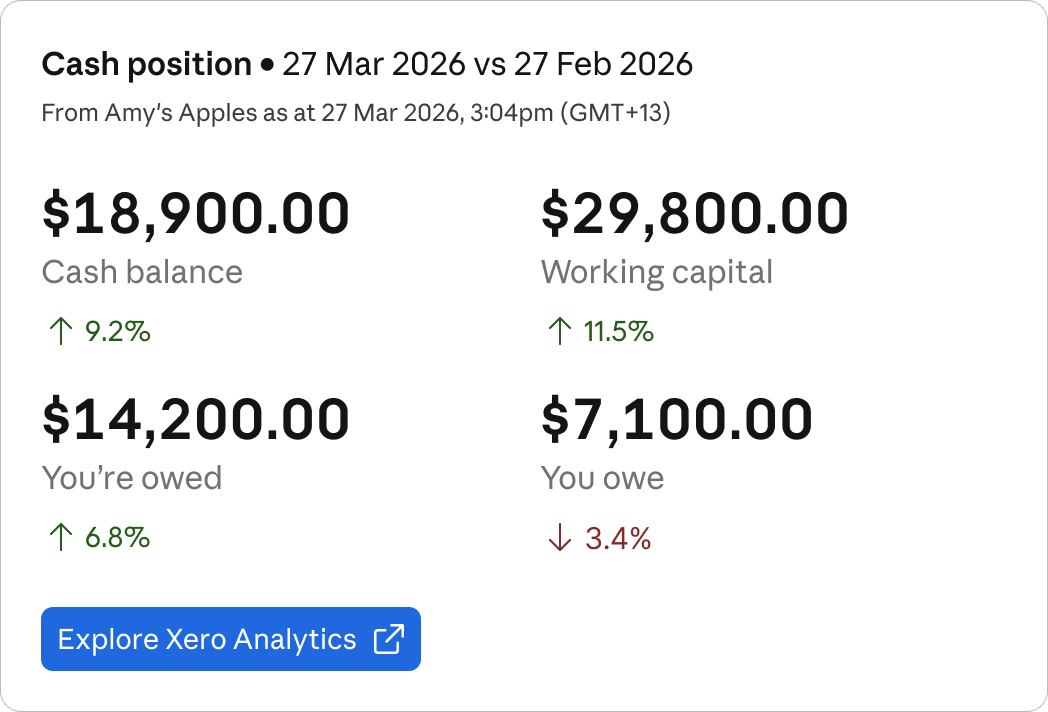
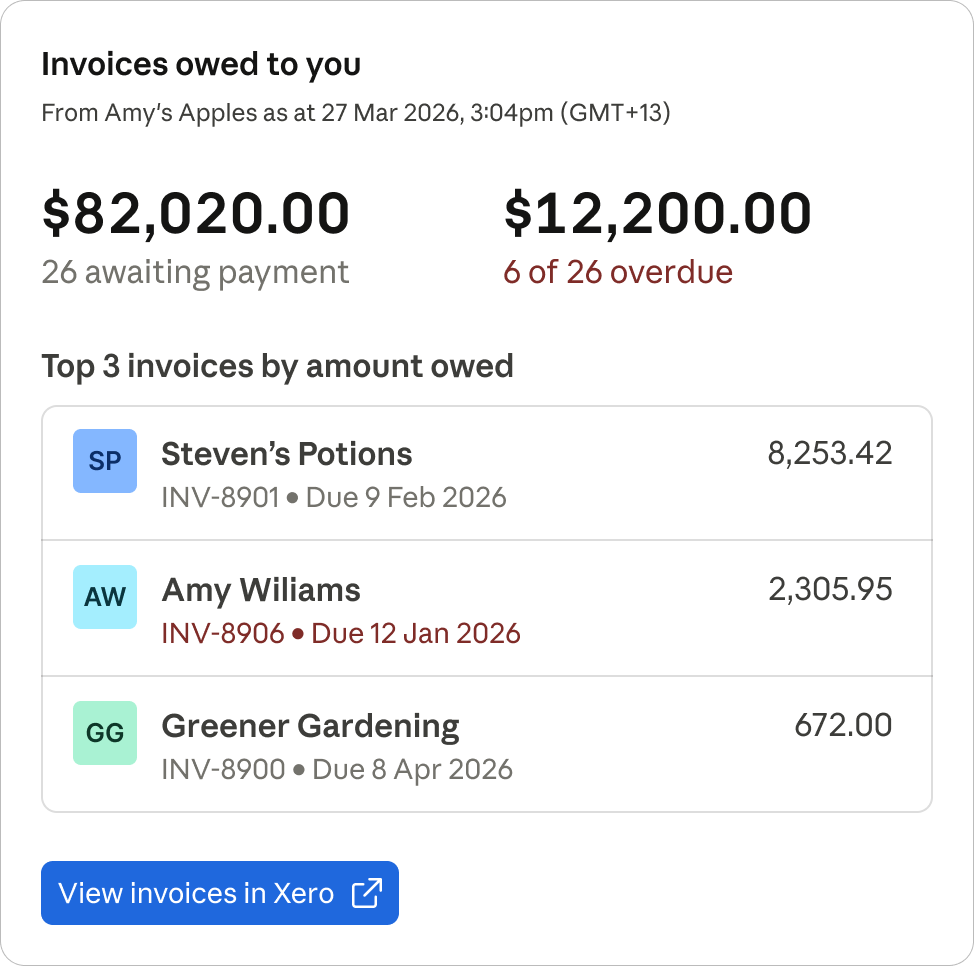
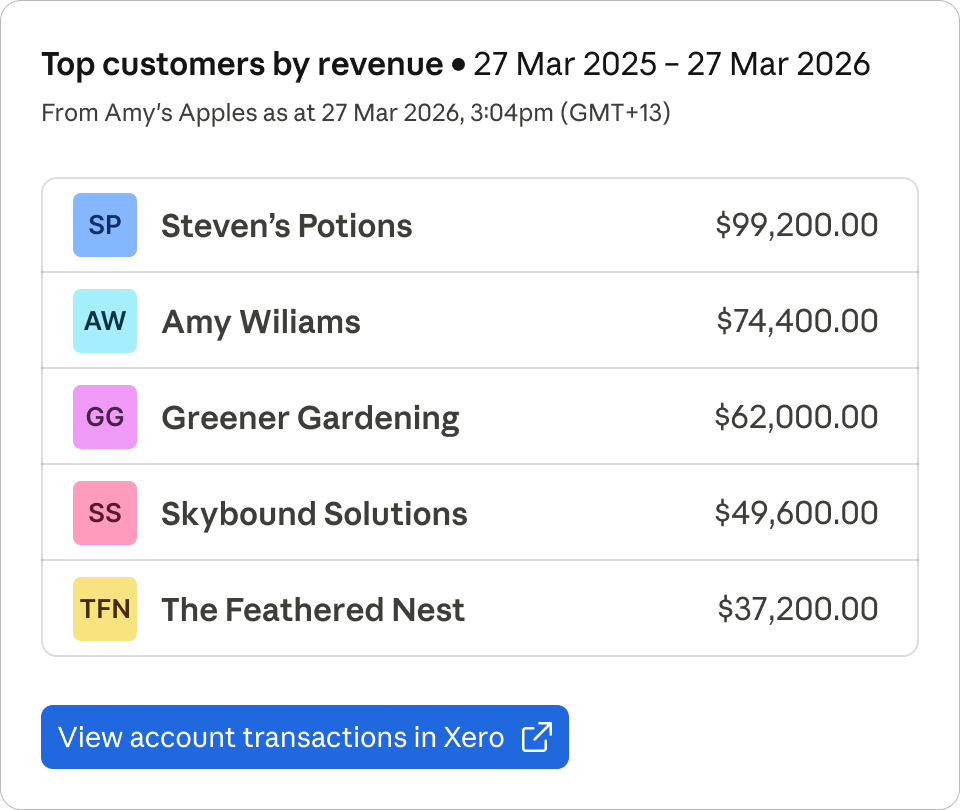
Check your profit and loss, see who owes you money, review your cash position, and find your top customers — directly from Claude. Xero surfaces visual financial summaries with flexible date ranges and year-over-year comparisons, so you can stay on top of your numbers without switching apps. Every response links back to Xero for deeper analysis. Make Xero a native part of your AI workflow — a fast, read-only window into your business finances.
Xero is an MCP connector for Claude listed in MCP App Store. Use this page to compare the app's platform surface, publisher, auth type, transport, example prompts, and support links before connecting it.
Listed MCP tools include get_contacts_and_receivables, get_financial_position, get_cash_position, get_profit_and_loss, and get_top_customers_by_revenue. The primary integration uses OAuth auth and http transport.
claude mcp add --transport http xero https://mcp.xero.com/mcpCash AppClaude Interactive Connector
Discover local food spots and order with a conversation
Era ContextClaude Interactive Connector
Manage your personal finances using Claude
GustoClaude Interactive Connector
Query and analyze your Gusto data
Intuit Credit KarmaClaude Interactive Connector
Credit score factors & insights
FAQ
Xero is listed as an MCP connector for Claude. Access your Xero financials from any conversation.
Use the install command shown on this listing, then review the OAuth auth type and http transport before connecting.
Listed tools include get_contacts_and_receivables, get_financial_position, get_cash_position, get_profit_and_loss, and get_top_customers_by_revenue. Review the tool list and permissions before using write-capable actions.