Atlassian Rovo
Read/write Jira & Confluence


The Atlassian Rovo MCP Server connects ChatGPT to your Atlassian workspace, so you can work with Jira, Confluence, and Compass directly from your conversation.
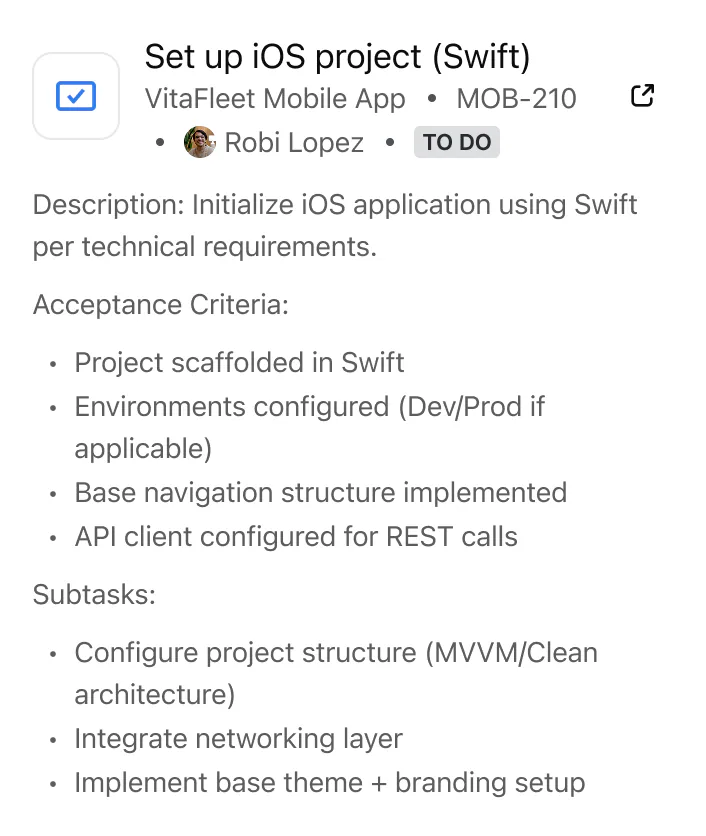
Find and summarize Jira issues, create and update tickets, transition statuses, and add comments without switching tabs. Search, read, draft, and edit Confluence pages with full context. Explore Compass components and their related issues and documentation.
The Atlassian Rovo MCP Server supports both read and write actions, enabling you to retrieve information and take action in real time. It also includes dedicated UI components for Jira and Confluence, making issue details, page content, and updates easier to review and act on directly within ChatGPT.
More Atlassian products are coming soon.
Try prompts like this
Platform surfaces
ChatGPT App
Read/write Jira & Confluence
- Capabilities
- Interactive, Writes, Reads
- Tools
- Not listed
- Previews
- 2
Claude Connector
Access Jira & Confluence from Claude
- Capabilities
- Claude, Remote MCP, Claude Code, Reads, Writes
- Tools
- atlassianUserInfo, getAccessibleAtlassianResources, getConfluenceSpaces, getConfluencePage, getPagesInConfluenceSpace, getConfluencePageAncestors, getConfluencePageFooterComments, getConfluencePageInlineComments, getConfluencePageDescendants, createConfluencePage, updateConfluencePage, createConfluenceFooterComment, createConfluenceInlineComment, searchConfluenceUsingCql, getJiraIssue, editJiraIssue, createJiraIssue, getTransitionsForJiraIssue, transitionJiraIssue, lookupJiraAccountId, searchJiraIssuesUsingJql, addCommentToJiraIssue, getJiraIssueRemoteIssueLinks, getVisibleJiraProjects, getJiraProjectIssueTypesMetadataZapier, getCompassComponents, getCompassComponent, getCompassCustomFieldDefinitions, createCompassCustomFieldDefinition, createCompassComponent, createCompassComponentRelationship
- Previews
- 2
Information
Not provided